Install the native package
Run the install command from an existing Expo or React Native application. React and React Native remain peer dependencies supplied by your app; react-native-svg is installed alongside Lumen.
Use Lumen foundations and native primitives in React Native without depending on CSS, DOM behavior, or the web runtime.
@santi020k/lumen-react-nativeInstall Lumen with its required react-native-svg and datetime-picker peers, then mount one LumenProvider near the application root. The deprecated root date exports keep the datetime picker required for the pre-v2 stability releases; Lumen 2 makes it optional for consumers that use no /datetime imports.
Get started
Install Lumen with its required react-native-svg and datetime-picker peers, then mount one LumenProvider near the application root. The deprecated root date exports keep the datetime picker required for the pre-v2 stability releases; Lumen 2 makes it optional for consumers that use no /datetime imports.
Run the install command from an existing Expo or React Native application. React and React Native remain peer dependencies supplied by your app; react-native-svg is installed alongside Lumen.
Mount one LumenProvider near the application root. Use scheme="system" to follow the device appearance automatically.
Start Expo or your native bundler, then open the app on web, an emulator, a simulator, or a physical device.
pnpm add @santi020k/lumen-react-native react-native-svg @react-native-community/datetimepickernpm install @santi020k/lumen-react-native react-native-svg @react-native-community/datetimepicker# Required until Lumen 2 removes the deprecated root date exports
pnpm add @react-native-community/datetimepickerimport {
LumenButton,
LumenProvider,
LumenSurface,
LumenText
} from '@santi020k/lumen-react-native'
export function App() {
return (
<LumenProvider scheme="system">
<LumenSurface>
<LumenText variant="title">Welcome</LumenText>
<LumenButton onPress={() => {}}>Continue</LumenButton>
</LumenSurface>
</LumenProvider>
)
}# Expo
npx expo start
# React Native Community CLI
npx react-native startTry every component
Use the browser preview for the quickest public tour. Clone the repository for Expo, simulators, emulators, or physical-device validation; the local path avoids advertising an Expo Go QR code that the current public client cannot open.
pnpm playground:react-native:webgit clone https://github.com/santi020k/lumen.git
cd lumen
pnpm install
pnpm playground:react-nativepnpm --filter @santi020k/lumen-playground-react-native run build:android:apkYou can run the gallery locally before configuring any store account.
Appearance
LumenProvider follows the device appearance by default. Pass light or dark when an in-app preference should override the system, and keep the provider near the application root so every screen receives the same semantic colors and foundation values.
<LumenProvider scheme="system">
  <AppNavigation />
</LumenProvider>type Appearance = 'light' | 'dark'
const [appearance, setAppearance] = useState<Appearance>('light')
return (
<LumenProvider scheme={appearance}>
<AppNavigation />
</LumenProvider>
)Components consume semantic roles such as canvas, surface, ink, brand, success, warning, and danger. Keep product code on those roles rather than assigning one-off colors to individual components.
Continue with AI
Install the portable skill once, open your application in a compatible coding tool, and name the target platform in the request. The skill reads the native package and documentation before selecting components.
npx skills add santi020k/lumen --skill lumen-uinpx skills add santi020k/lumen --skill lumen-uiFollow the installer prompts and select the AI coding tools available on your machine.
Use $lumen-ui to build this screen in the existing React Native app.
Use @santi020k/lumen-react-native and mount one LumenProvider at the app root.
Preserve navigation and state, and include loading, empty, error, and native accessibility behavior.
Use $lumen-ui to build this screen in the existing React Native app.
Use @santi020k/lumen-react-native and mount one LumenProvider at the app root.
Preserve navigation and state, and include loading, empty, error, and native accessibility behavior.Review the generated package imports, component states, and platform accessibility behavior.
The Agent Skill and optional MCP server cover web and native adapters. MCP can list the components available for this platform and return installation, setup, API examples, accessibility guidance, and reference source for each documented native component.
Open the complete AI setup guideInteractive component gallery
Explore the React Native components and their interactive states directly in the browser.
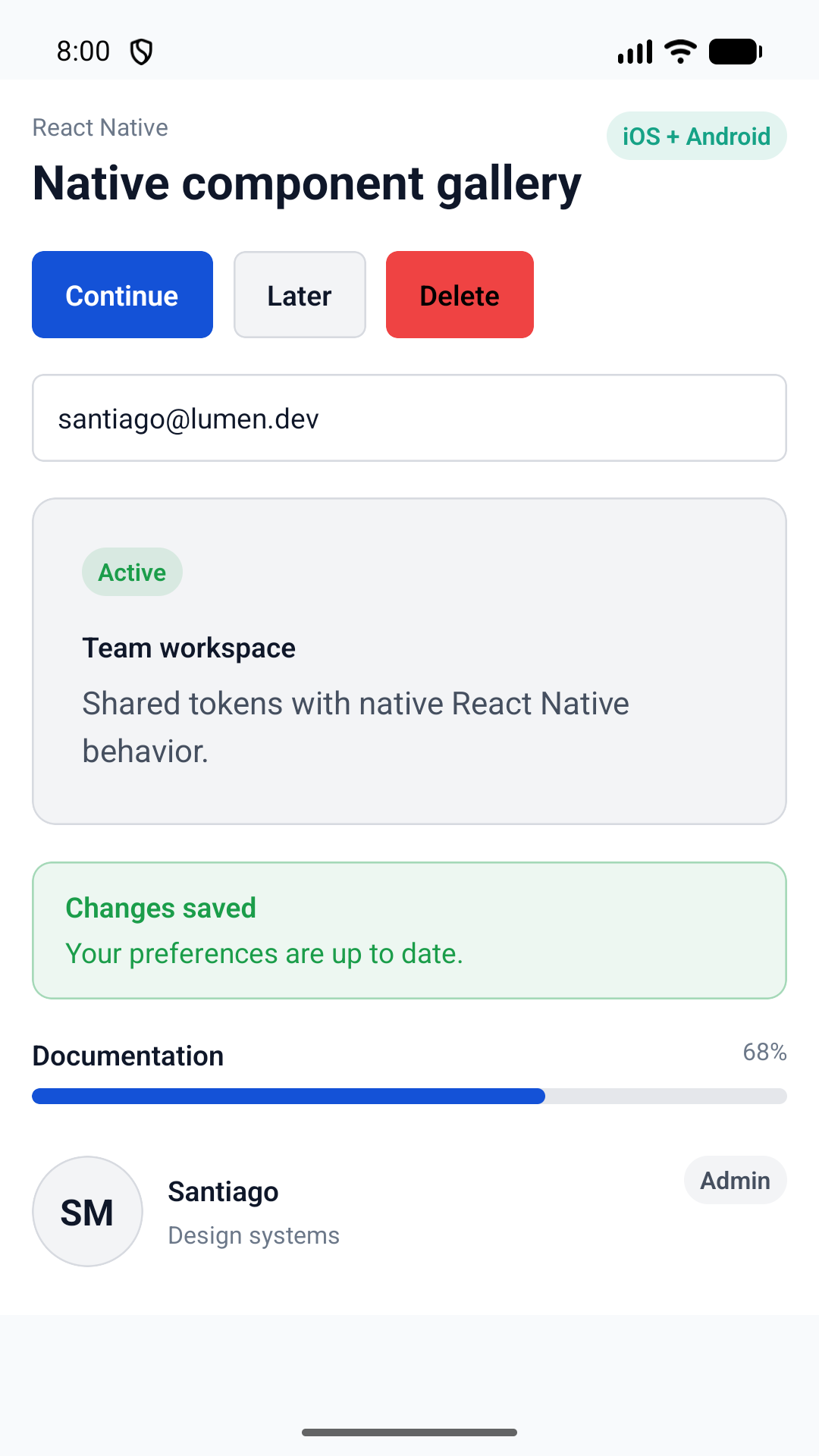
Supported surface
These primitives share semantic intent with Web, SwiftUI, and Compose while retaining React Native props, refs, and accessibility behavior.
Platform contract
Numeric dimensions and hexadecimal colors are generated directly from the canonical token source.
Components use native accessibility roles, states, touch targets, and refs without a DOM runtime.
The provider follows the system color scheme or an explicit light or dark selection.
Move between platform guidance without losing the shared Lumen design language.