When to use it
Use for one compact persistent activity such as playback, upload, recording, or an active call. Keep safe-area padding and domain state in the application.
Place compact application status or actions above React Native bottom navigation.
Native example
Use for one compact persistent activity such as playback, upload, recording, or an active call. Keep safe-area padding and domain state in the application.
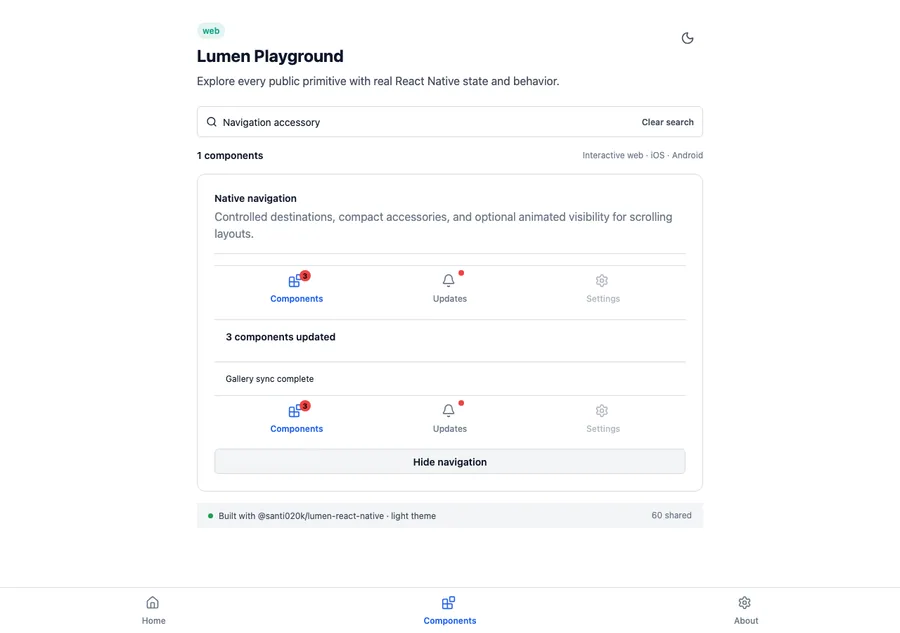
<LumenCollapsibleNavigationBar
  accessory={(
    <LumenText variant="label">Uploading 3 files</LumenText>
  )}
  items={destinations}
  value={destination}
  visible={navigation.visible}
  onValueChange={setDestination}
/>
Reference
The primary shared and platform-specific options exposed by LumenNavigationAccessory.
| API | Values or type | Default | Description |
|---|---|---|---|
| children | ReactNode | Required | Provides compact status or independently accessible actions. |
| style | StyleProp<ViewStyle> | undefined | Extends the fixed compact native container. |
Native behavior
Use for one compact persistent activity such as playback, upload, recording, or an active call. Keep safe-area padding and domain state in the application.
The container preserves the semantics of its application-owned status and actions. When supplied to the collapsible bar, it leaves the accessibility tree with navigation.