When to use it
Use for optional supporting detail within the current screen. Keep navigation and multi-step application structure in platform navigation containers.
Reveal optional native content through a controlled, accessible disclosure trigger.
Native example
Use for optional supporting detail within the current screen. Keep navigation and multi-step application structure in platform navigation containers.
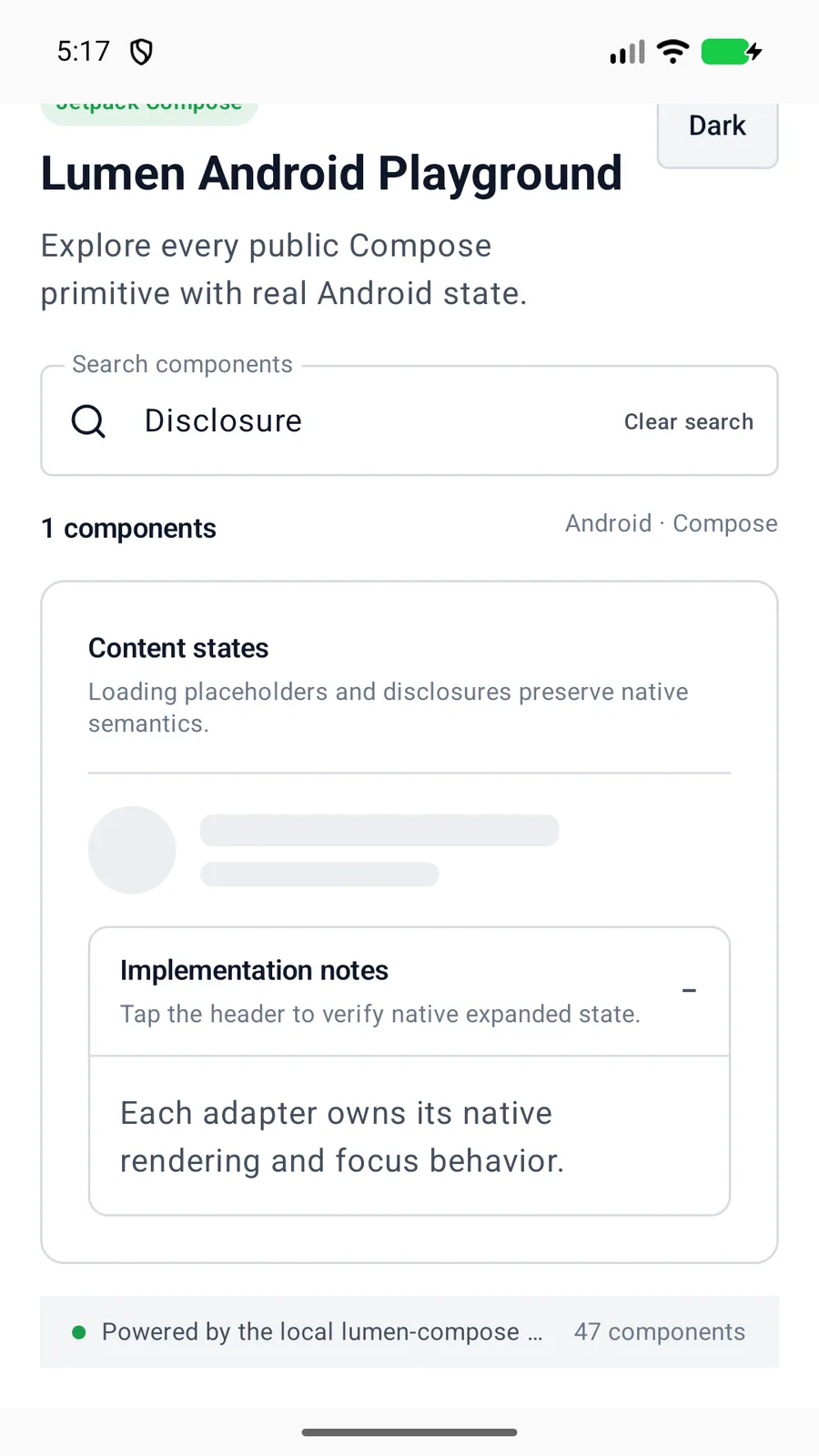
LumenDisclosure(
    title = "Implementation notes",
    expanded = expanded,
    onExpandedChange = ::setExpanded
) {
    LumenText("Native details")
}
Reference
The primary shared and platform-specific options exposed by LumenDisclosure.
| API | Values or type | Default | Description |
|---|---|---|---|
| title | String | Required | Names the disclosure trigger. |
| expanded | Boolean | Required | Stores the controlled expanded state. |
| onExpandedChange | (Boolean) -> Unit | Required | Updates the controlled state. |
| description | String? | nil | Adds concise supporting copy to the trigger. |
| enabled | Boolean | true | Controls native disabled state. |
| content | Native content | Required | Provides content that is mounted only while expanded. |
Native behavior
Use for optional supporting detail within the current screen. Keep navigation and multi-step application structure in platform navigation containers.
The native trigger exposes expanded or collapsed state. Collapsed content leaves the accessibility and focus trees.
Shared component