When to use it
Explain why the state is empty and offer one useful next action when recovery is possible. Do not use for loading or error states.
Explain missing content with supporting copy, an optional graphic, and a recovery action.
Apple availability
Import LumenUI in the target that uses this component. iPad support follows the iOS package baseline and uses native iPad layout behavior.
Native example
Explain why the state is empty and offer one useful next action when recovery is possible. Do not use for loading or error states.
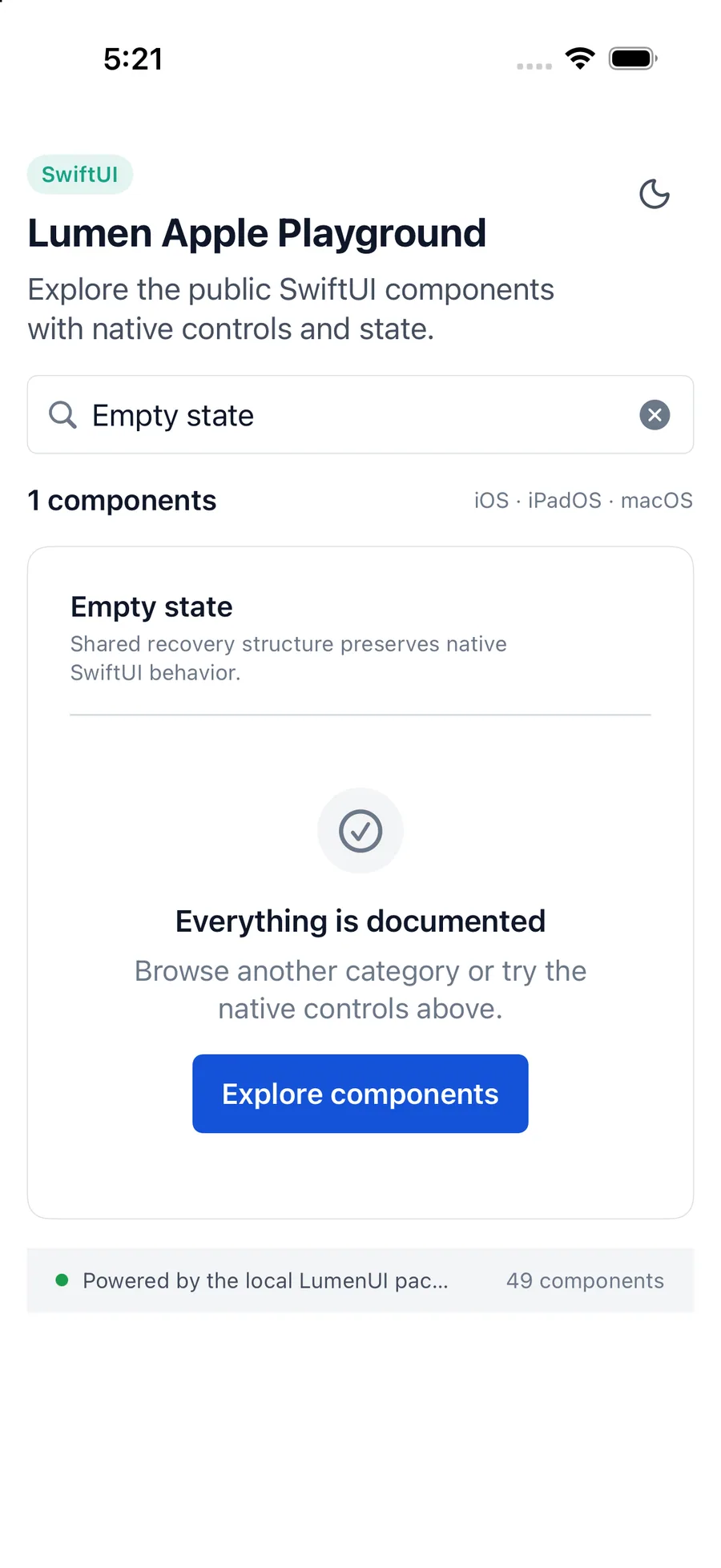
LumenEmptyState(
    "No saved workspaces",
    systemName: "rectangle.stack",
    description: "Create a workspace to get started."
) {
    LumenButton("Create Workspace", action: createWorkspace)
}
Reference
The primary shared and platform-specific options exposed by LumenEmptyState.
| API | Values or type | Default | Description |
|---|---|---|---|
| title | LocalizedStringKey | Required | Names the empty state. |
| systemName | SF Symbol name | Required | Provides an optional platform-native supporting graphic. |
| description | LocalizedStringKey? | nil | Explains the state or next step. |
| actions | @ViewBuilder () -> Actions | EmptyView | Provides optional recovery actions. |
Native behavior
Explain why the state is empty and offer one useful next action when recovery is possible. Do not use for loading or error states.
The title, description, optional graphic, and recovery actions remain in a readable native order.
Shared component