When to use it
Use only on macOS. Applications own conflict validation and command registration; Lumen handles capture and presentation.
Capture, validate, change, and clear native macOS keyboard shortcuts.
Apple availability
Import LumenUI in the target that uses this component. iPad support follows the iOS package baseline and uses native iPad layout behavior.
Native example
Use only on macOS. Applications own conflict validation and command registration; Lumen handles capture and presentation.
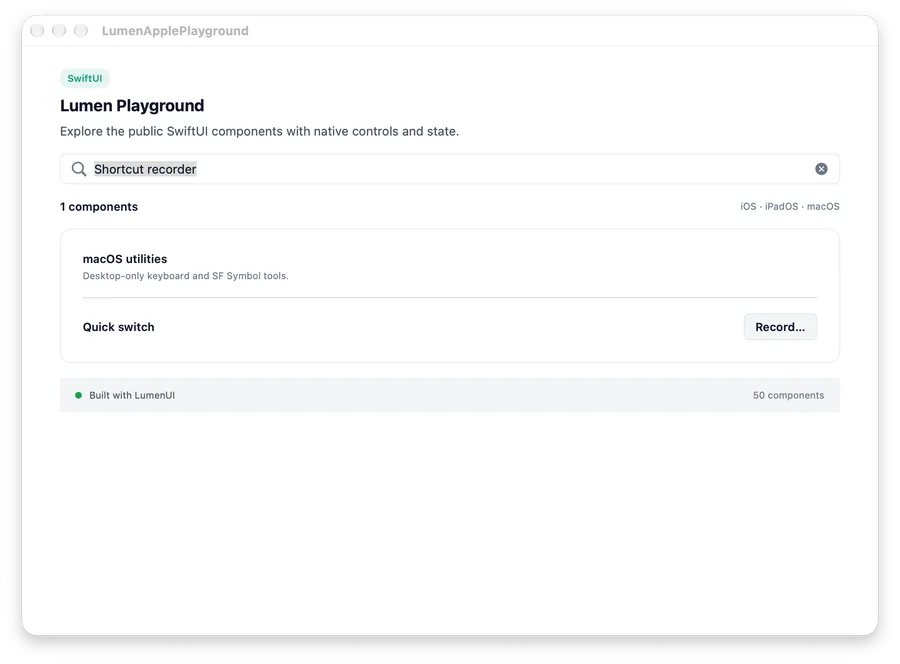
LumenShortcutRecorder(
    "Quick switch",
    shortcut: $shortcut
) { candidate in
    reserved.contains(candidate) ? "Already in use." : nil
}
Reference
The primary shared and platform-specific options exposed by LumenShortcutRecorder.
| API | Values or type | Default | Description |
|---|---|---|---|
| label | LocalizedStringKey | Required | Names the command being configured. |
| shortcut | Binding<LumenShortcut?> | Required | Stores the current keyboard shortcut. |
| validation | ((LumenShortcut) -> String?)? | nil | Returns an application conflict message or nil. |
| platform | macOS | Required | Uses NSEvent keyboard capture and macOS modifier glyphs. |
Native behavior
Use only on macOS. Applications own conflict validation and command registration; Lumen handles capture and presentation.
Recording, current shortcut, validation error, cancel, change, and clear states all have visible native labels.