When to use it
Use only on macOS. Supply product-specific symbol options when the built-in common set is broader than the task requires.
Search and choose from labeled, categorized SF Symbols in a native macOS picker.
Apple availability
Import LumenUI in the target that uses this component. iPad support follows the iOS package baseline and uses native iPad layout behavior.
Native example
Use only on macOS. Supply product-specific symbol options when the built-in common set is broader than the task requires.
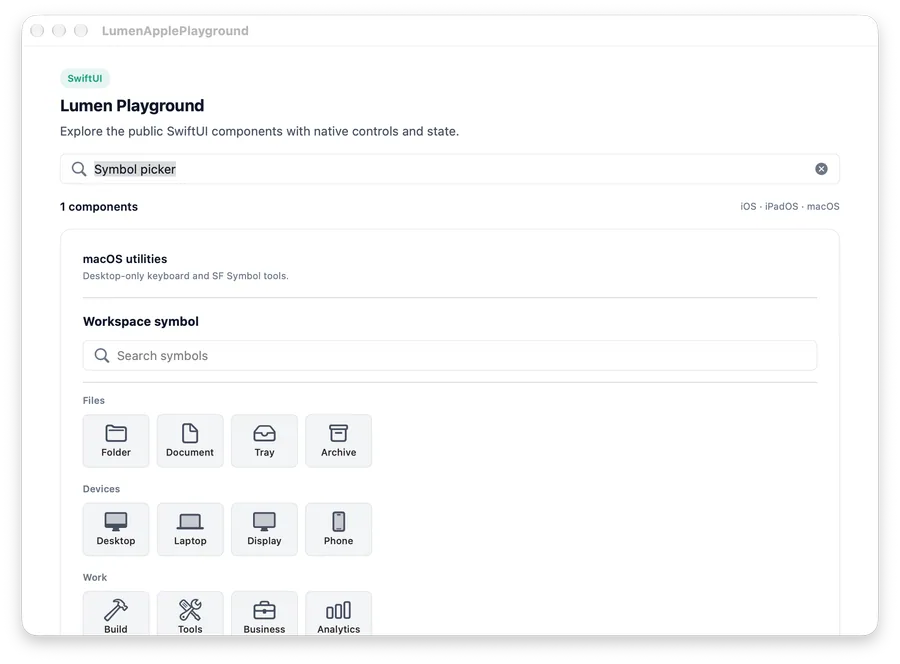
LumenSymbolPickerButton(
    "Workspace symbol",
    selectedName: $symbolName
)
Reference
The primary shared and platform-specific options exposed by LumenSymbolPicker / LumenSymbolPickerButton.
| API | Values or type | Default | Description |
|---|---|---|---|
| title / label | LocalizedStringKey | Choose a symbol | Names the picker or popover trigger. |
| selectedName | Binding<String> | Required | Stores the selected SF Symbol name. |
| options | [LumenSymbolOption] | .common | Provides labeled, categorized symbol choices. |
| presentation | Inline picker / popover button | Inline | Selects the full picker or compact popover trigger. |
Native behavior
Use only on macOS. Supply product-specific symbol options when the built-in common set is broader than the task requires.
Every symbol option has a readable label and selected state. Search and empty states use native controls and focus behavior.